Configuration File
The GEM Unity Plugin generates a GEMUserSettings.yaml file in the appdata when a GEM build is launched. This is useful to modify how the application is launched, such as by disabling GEM Runtime for simulating GEM, to configure obstructions or to enable debug modes show more information than what the end consumer should see.
The settings file is located at:
Windows -> C:/Users/{name}/Appdata/LocalLow/{companyname}/{appname}/settings/GEMUserSettings.yaml
Linux -> home/{name}/.config/unity3d/{companyname}/{appname}/settings/GEMUserSettings.yaml
Android -> Android/data/{PackageName}/files/settings/GEMUserSettings.yaml
The default Configuration looks like this:
schema_version: 2
gemConfig:
  useGEM: true
  releaseMode: true
  debugLevel: 0
  defaultLanguageCode: en
overrideGameServerAddress:
  useOverride: false
  Address: 127.0.0.1
  Port: 7777
obstructions:
  - bounds:
      front_left:
        x: 0
        y: 0
      rear_right:
        x: 0
        y: 0
gemConfig:
- useGEM: [true/false] -> Defines if GEM is used or GEM Simulation. Set this to false if you wish to run the application without GEM.
- releaseMode: [true/false] -> Defines if the software is used in production. If this is set to false, the startup sequence will show additional information about the bootup sequence.
- debugLevel: [0/1/2] -> Defines the level of debug statements logged and, if releaseMode is false, shown on the screen.
- 0 -> Minimal: Only print important GEM Debug statements, such as the launch sequence. Useful for normal development that doesn't target GEM.
- 1 -> Debug: Print most GEM Debug statements in detail, but hides spammy debugs. Useful for plugin development since it prints the API requests and returns.
- 2 -> Verbose: Prints all GEM Debug statements including spammy debugs with all information available. Useful for deep debugging and performance analysis.
- defaultLanguageCode: [string] -> Defines the default language that the application should launch in. This is used for messages before a user is assigned to the device, e.g. the message when the device is unassigned. It is useful for deployment in countries with lower english proficiency by consumers or operators.
overrideGameServerAddress:
- useOverride: [false/true] -> defines if the Gameserver IP and Port should be overwritten. This is useful to force the app to connect to specific addresses.
- Address: [string] -> defines what IP to override with.
- Port: [int] -> defines what Port to override with.
Obstructions:
This field can be used to set the obstructions. It needs to be configured on the server's configuration file only, who transfers this data to all connecting clients.
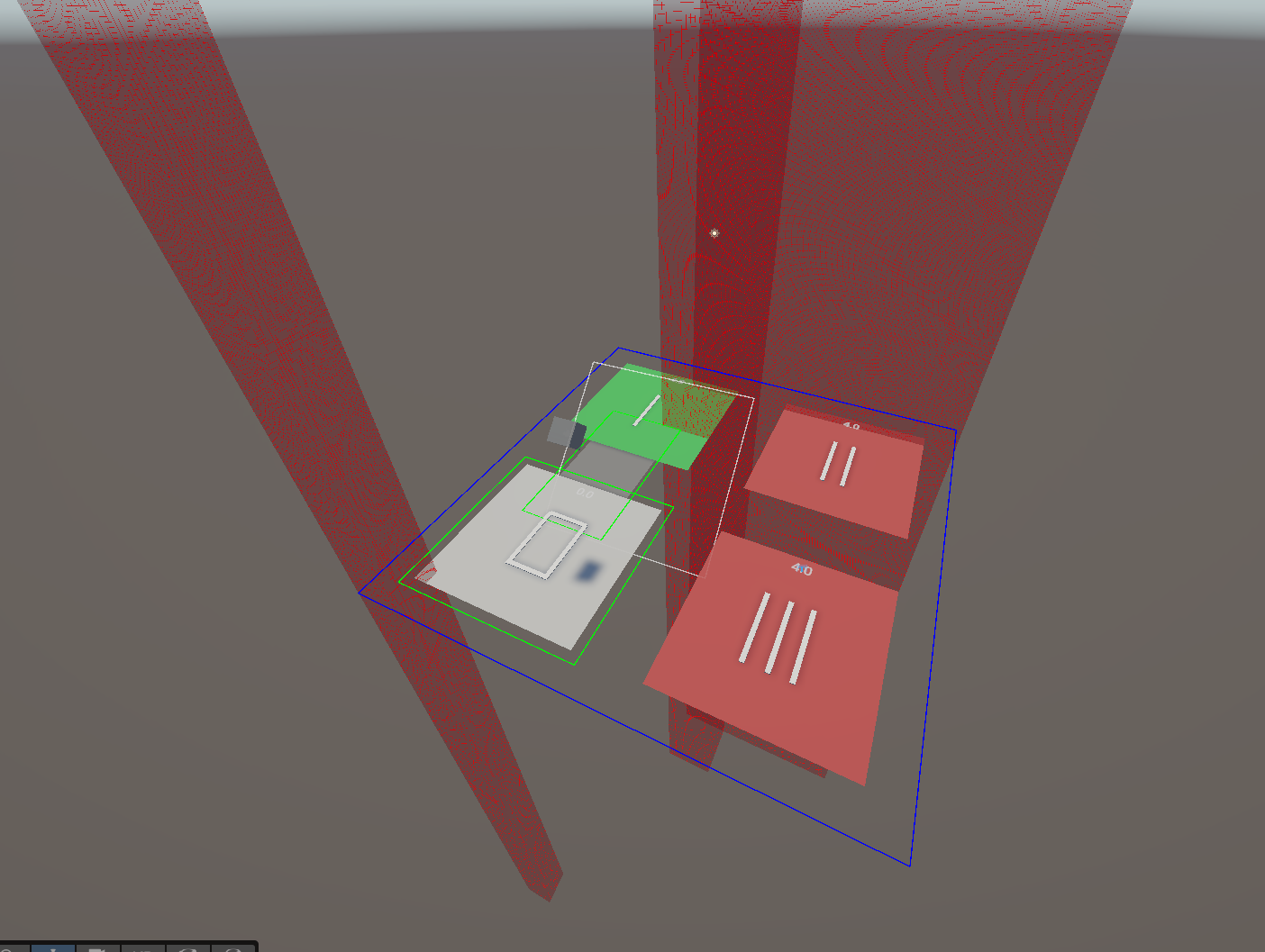
Below is an example obstruction setup with three obstructions.
obstructions:
  - bounds:
      front_left:
        x: -2.5
        y: -2.5
      rear_right:
        x: -2
        y: -2
  - bounds:
      front_left:
        x: -1
        y: 1
      rear_right:
        x: 0
        y: 2
  - bounds:
      front_left:
        x: -1
        y: 2
      rear_right:
        x: 2.5
        y: 2.5
This example generates the following obstructions in the example 5m x 5m Experience:
 {width="702" height="529"}